yahoo Press
How to use mobile check deposit: A step-by-step guide
Images
1 / 10

2 / 10

3 / 10

4 / 10

5 / 10

6 / 10

7 / 10

8 / 10

9 / 10

10 / 10
Some offers on this page are from advertisers who pay us, which may affect which products we write about, but not our recommendations. See our Advertiser Disclosure.

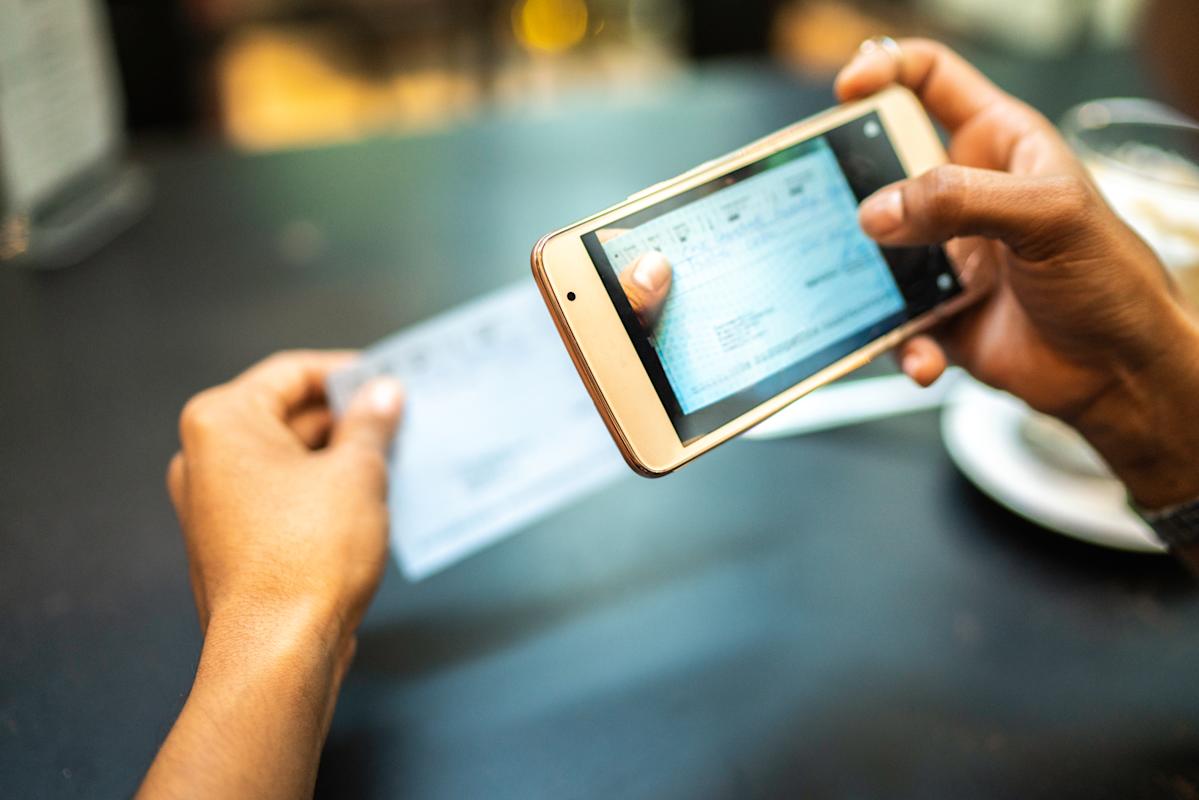
Mobile check deposit is a free feature that comes with most banking apps. It allows you to deposit a check through your smartphone or tablet, and the process only takes a minute or two.

Learn more about how mobile check deposit works and whether this feature is right for you.

With mobile check deposit, you can deposit a check to your checking or savings account by taking photos of it in your banking app. This complimentary service, which is offered by most banks and credit unions, is available 24/7 and takes just a few minutes to complete on your smartphone or tablet.

The process might be different at your bank or credit union, but depositing a check through your mobile app should go something like this:

Make sure you have the latest version of your banking app installed.

Open your banking app and choose the account you want to deposit funds to.

Enter the check amount.

Sign and endorse the check by writing "For mobile deposit only at [bank name]" on the back.

If requested, give the app permission to access your camera.

Follow the instructions to take photos of the front and back of the check. You typically need to be in a well-lit place and place the check on top of a dark surface.

Choose which account should receive the deposit.

Confirm the check amount.

Submit.

After submitting, you should receive a notice in the app, along with an email, to confirm the deposit was received. If there's a problem with the check, you may receive a letter asking you to submit the check at an ATM or bring it to a bank branch to resolve the issue.

Depending on your bank, you might be encouraged to hold on to the check anywhere from two to 14 days after you receive confirmation that it was accepted. That's because if a problem arises with the check, the bank might ask you to bring it into a branch. Reasons your check might not be accepted include:

Poor image quality

Weak internet connection

No signature or endorsement

Duplicate check

Post-dated check

History of returned checks on your account

Ineligible check type (such as a money order or traveler’s check)

Once you're sure the check has cleared, write "VOID" on the check and make sure to destroy it.

Mobile deposits are usually available within one to two business days, but the speed depends on your bank and the day and time you make the deposit.

For example, mobile check deposits to Bank of America accounts are usually available the next business day. So if you deposit your check to BofA during business hours on Tuesday, it should be available on Wednesday. But if you deposit it after hours on a Friday, it won't be available until Monday.

Alternatively, some banks make the first $225 of your deposit available on the same day or the next business day, and then the rest available the following business day.

You may also be able to pay a fee to get immediate access to the funds. Key Bank and TD Bank, for example, charge a 2% fee for immediate access, while Regions Bank charges up to 4%.

Your bank probably has a daily, weekly, or monthly limit on the check amounts you can deposit through their app. For example, with Navy Federal Credit Union (NFCU), you can deposit up to 10 checks per day, up to a total of $50,000 per day. But with U.S. Bank, deposits are limited to $50 on some accounts that haven't been open for at least 90 days.

Using a mobile app for your banking can be safer than using a web browser. For mobile check deposits, which are FDIC insured, they can be a safe method of banking, as long as you practice the security habits that are always recommended for online banking, including:

Choosing a unique and complex password for your bank account

Enabling multi-factor authentication

Enabling bank account alerts

Installing app updates as soon as they're available

Never opening your app while using public Wi-Fi

Additionally, you might check to make sure your bank uses the standard security measures used by most banks, such as encryption and timed log-out.

Mobile checks typically take one to two business days to deposit. Business days do not include weekends, holidays, and hours after business closing, so if you deposit the check during those days or times, the delay could be longer.

Read more: Which banks are open on Sunday?

The fastest check deposit method depends on your bank, but a mobile check deposit may take around one day longer to process than an in-person or ATM deposit. To find out how long check deposits take, look for your bank's policy on processing timelines and daily cut-off times for each type of check deposit.

You can endorse a check for mobile deposit by writing "For mobile deposit only at [bank name]" below your signature on the back of the check. Don't worry about memorizing that statement, since you'll see a prompt in your banking app during the mobile check deposit process.

There's no fee for using mobile check deposit unless you choose to pay a fee to have the funds available immediately. However, just like with regular check deposits, your bank might charge you a returned check fee if the check bounces.

If you're wondering how to endorse a check for deposit, or how to endorse a check to someone else, our guide explains it all.

Checks can clear as soon as the same business day or up to a week later. Learn more about the factors that impact check-clearing times.

Depositing your cash into a bank account can simplify payments, enhance safety, and even help you save money. Learn the best ways to deposit cash into your bank account.

If you have some cash that you want to transfer to your checking account, you might be wondering: Can I deposit cash at an ATM? Here’s what you need to know.

A second-chance checking account can help you avoid the expense and headache of using alternative financial products when you don’t qualify for a regular bank account.

Mobile banking helps you manage your money from anywhere — but is it safe? Learn more about mobile banking security and the steps you can take to protect your data.
Comments
You must be logged in to comment.